Create FTP accounts to allow file transfers to and from your hosting account. Each FTP account can be restricted to a specific directory.
Steps
Navigate to your website management page by clicking Websites in sidebar then click Manage on website you want to manage.

Click the FTP Accounts tab in the files section.

Click the + Create FTP Account button.

Enter a Username for the FTP account. Enter and confirm a Password. Set the Home Directory to restrict access to a specific folder, or leave it as empty. Click Create to create the FTP account.
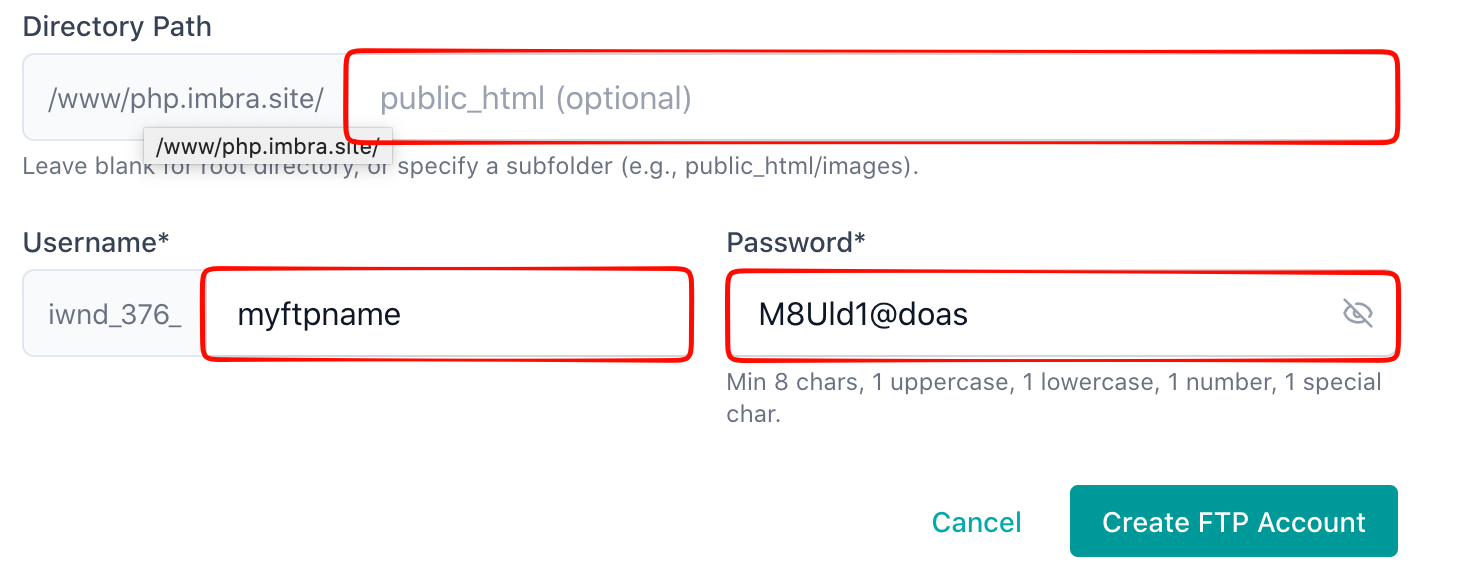
Tip: Use strong passwords for FTP accounts and limit home directories to only the folders each user needs access to.